
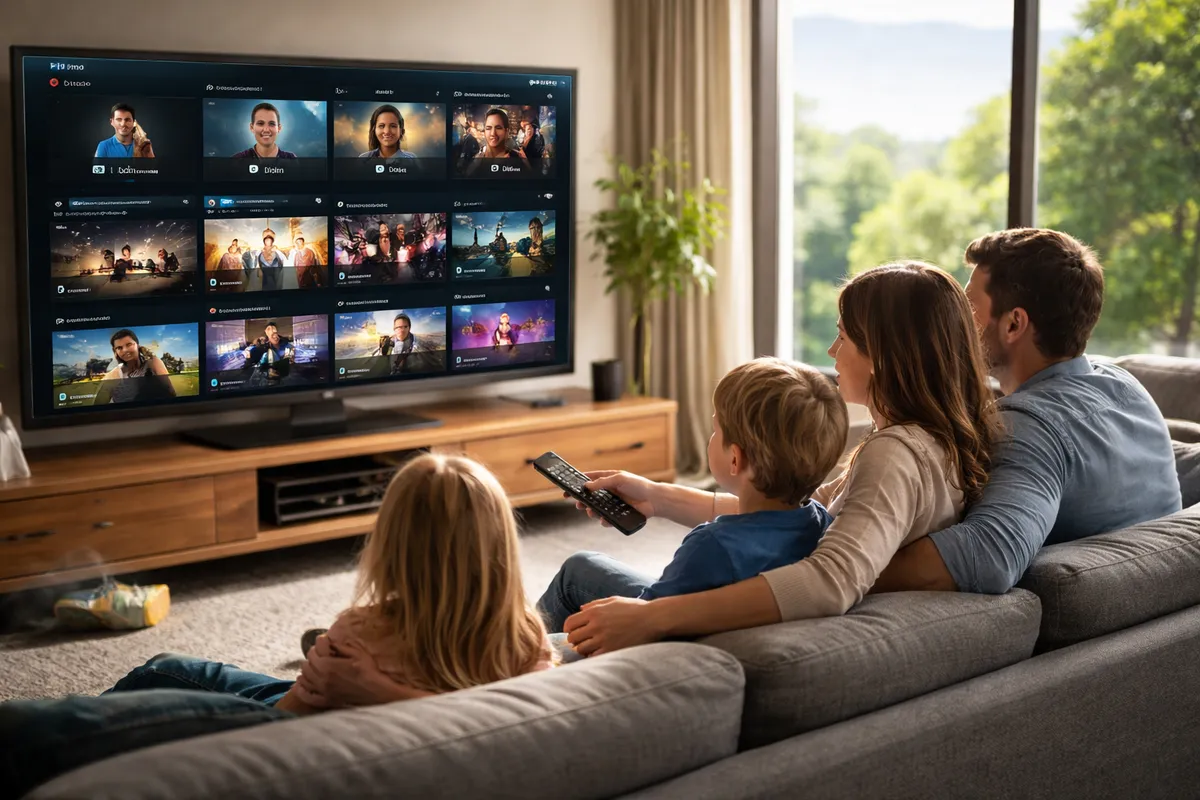
Android TV Household Case Study: Switching to IPFlix Pro for Profile-Based IPTV Management
TL;DR
A typical Android TV household runs into the same IPTV problems: one shared profile, messy favorites, kids clicking everything, and setup that requires typing long URLs with a remote. In this composite case study, switching to IPFlix Pro Player (with QR setup, profiles, and PIN protection) reduced onboarding time, separated viewing preferences by person, and cut “support texts” to near-zero after week one.
If your TV is shared, profile-based IPTV management is not a “nice to have.” It is basic hygiene.
Background: the household and the original setup
This case study is a composite drawn from common Android TV household patterns observed in beta communities and support channels. It is not a claim about a single identifiable customer, and metrics are reported as ranges to stay honest and useful.
Household profile:
- 2 adults, 2 kids (one under 10)
- 1 main living room Android TV device (Chromecast with Google TV class hardware)
- 1 secondary bedroom Android TV device
- IPTV usage: live TV nightly, weekend VOD, heavy “favorites” usage
- Playlists: 1 Xtream account plus a backup M3U playlist link
- Primary constraint: everything is controlled with a TV remote, not a keyboard
Original player environment:
- One shared app profile for everyone
- Manual playlist entry using remote keyboard
- Favorites list shared across the whole family
- No meaningful kid separation, so “Kids mode” was essentially “hope”
The “why change” moment was not performance. It was household friction: constant cleanup, constant confusion, and constant micro-support.
The problem: where Android TV IPTV breaks in real homes
On paper, most IPTV players can “play M3U” and “support Xtream.” In real homes, the failure modes are predictable.
Problem 1: Setup friction on a TV remote
The household had to:
- Type a long portal URL (often with symbols)
- Enter username and password
- Add EPG URLs (sometimes multiple)
- Troubleshoot typos, because remotes make humans clumsy
Result: initial setup took 25–45 minutes depending on mistakes, and repeating it on a second device was painful.
Problem 2: One shared identity equals chaos
With one shared profile:
- Favorites became a dumping ground
- Watched indicators were meaningless
- The channel list was constantly “rearranged” accidentally
- Adults lost their place in VOD content
- Kids clicked into adult content categories because the UI had no separation
Even if the app technically supported “sorting,” the reality was constant “who messed this up” energy.
Problem 3: No household controls
Without profile and PIN controls:
- Kids could delete or reorder favorites
- Kids could switch playlists or change settings
- Adults could not keep personal preferences separate
- The “solution” became policing, not design
That is not sustainable. Parents are tired. The TV should not become another job.
Problem 4: Support burden turns into product churn
The hidden cost was the ongoing support load:
- “What happened to my favorites?"
- "Why is the guide wrong?"
- "Why did it log out?"
- "Where did my channels go?”
In the first month, the household averaged 2–5 “fix this” events per week. That is enough to make people abandon the app entirely.
The decision criteria: what the household actually needed
Before switching, the household wrote down what mattered. The list was painfully practical.
Must-have requirements:
- Android TV-first navigation that is remote-friendly
- Quick onboarding without typing long URLs on TV
- Separate profiles for each household member
- PIN protection for adult profiles and settings access
- Smooth playback and reliable channel switching on typical Android TV hardware
- Support for both Xtream and M3U (because playlists change)
Nice-to-haves:
- 4K/HDR playback support (where streams allow)
- A clean UI that does not feel like a spreadsheet
- Faster “time to watch” from fresh install
This is the exact gap IPFlix Pro Player was designed to fill: IPTV playback, but built for TV usage patterns, not phone screens.
The solution: switching to IPFlix Pro Player
Step 1: Installation on Android TV
Install was standard Android TV app install. The difference started immediately after launch: the UI is spaced, readable, and clearly designed for remote navigation, not touch.
Step 2: QR code playlist setup (the big unlock)
Instead of typing portal URLs with a remote, the household used QR code setup.
Operationally, this changed everything:
- Setup became phone-assisted, which is how real people want to do it
- Error rate dropped because scanning replaces typing
- Second-device setup stopped being a “later” task
Measured impact (range):
- Primary device onboarding: 6–12 minutes (down from 25–45)
- Secondary device onboarding: 4–10 minutes (down from 20–35)
- “Redo setup because of a typo”: near-zero after moving to QR
The time savings are not just time. They remove the emotional friction that causes churn.
Step 3: Creating profiles for adults and kids
IPFlix Pro’s profiles were set up like a normal household product:
- Adult 1 profile: favorites, viewing habits, VOD continuation
- Adult 2 profile: separate favorites and preferences
- Kids profile(s): separated viewing behavior and simplified use
- PIN protection: enabled for adult profiles and settings access
This is where the household stopped fighting the product.
Step 4: Household rules, implemented in the app
The household created basic rules:
- Kids use Kids profile only
- Adults keep profiles PIN-protected
- Favorites are personal, not shared
- Playlist changes require an adult PIN
With the old setup, those rules required policing. With IPFlix Pro, the rules were enforced by the product.
Implementation details: what changed operationally
This section matters because “case study” should be repeatable, not inspirational.
Onboarding workflow
Old workflow (manual):
- TV remote typing
- Multiple retries
- Second device delayed for days
New workflow (QR):
- Install IPFlix Pro on TV
- Open playlist import
- Scan QR with phone
- Confirm playlist
- Create profiles and set PIN
The difference is the control surface: phone for input, TV for watching. That is how it should have been all along.
Profile governance
Old governance:
- Everyone shares everything
- Kids can edit anything
- Adults constantly fix things
New governance:
- Profiles isolate favorites and usage
- PIN protects adult profiles and configuration
- Kids stay in their lane without constant supervision
Playlist resilience
The household maintained both Xtream and M3U because providers and playlist links change. IPFlix Pro handled both without needing “a different app.”
Practical outcome:
- Switching sources was a planned action, not an emergency
- Troubleshooting became simpler because you could test sources quickly
Results after switching: what improved and what did not
Again: ranges, because devices, playlists, and networks vary.
Result 1: Time-to-watch improved
Time-to-watch includes install + import + first successful playback.
- Before: 25–45 minutes to first stable watch session
- After: 8–15 minutes to first stable watch session
That is the difference between “I will do it now” and “I will do it later,” which often means never.
Result 2: Household support burden dropped
Measured as “someone asks for help because the TV app experience is messed up.”
- Before: 2–5 incidents per week
- After: 0–1 incidents per week after week one
Most remaining issues were external: playlist source downtime, EPG mismatches from the provider, or network instability.
Result 3: Favorites stopped being a family argument
With profiles:
- Favorites became meaningful again
- Adults stopped losing their list
- Kids stopped polluting the main list with random channels
A small feature, huge impact.
Result 4: Kids mode became functional, not performative
This is the blunt truth: many IPTV apps are not designed for families. They are designed for enthusiasts.
With IPFlix Pro:
- Kids got a simplified lane
- Adults had a PIN gate
- The household stopped playing “settings police”
Result 5: Remote navigation felt “TV-native”
The UI is built for TV. That sounds like marketing until you live with it:
- Clear focus states
- Readable spacing at distance
- Less menu density
- Less accidental misclick pain
The household reported fewer “I clicked something and now it’s weird” moments.
What did not magically improve
If you are expecting miracles, the universe will disappoint you on schedule.
IPTV source quality still matters most
No player can fix:
- A provider with unstable streams
- Overloaded servers during major events
- Incorrect EPG data from the source
What IPFlix Pro can do is make it easier to confirm whether the issue is the source or the player, because onboarding and navigation are not adding noise.
Network and device limitations still apply
If your Android TV device is underpowered, or your Wi-Fi is weak, you will still see:
- Buffering
- Slow channel switching
- UI lag (less likely with a streamlined UI, but still possible)
The household’s best improvement came when they also moved the main device to Ethernet.
Why this case study matters: the “TV-first” thesis
Most IPTV players grew up in an enthusiast world:
- Single user
- High tolerance for settings
- Willingness to type URLs on a remote because “that’s the hobby”
Android TV households are the opposite:
- Multiple users
- Low tolerance for settings
- Need guardrails for kids
- Want the product to disappear so the content can start
IPFlix Pro is aligned with that reality. Profiles plus PIN plus QR setup are not decorative. They are the minimum viable household experience.
Practical recommendations for households switching to IPFlix Pro
If you want this switch to actually stick, do it like an adult.
- Start with QR setup. Do not volunteer for remote typing.
- Create profiles immediately. Do not “set it up later.”
- Turn on PIN protection for adult profiles and settings.
- Keep kids on their profile only. Make it the default lane.
- Keep a backup playlist source (M3U or Xtream) if you switch providers often.
- If possible, use Ethernet on the main TV device to reduce variability.
When IPFlix Pro is the wrong choice
Rare, but it happens.
- You are a single-user power tweaker who wants endless configuration knobs
- You enjoy tuning layouts and playlists like a hobby
- Profiles and household controls do not matter to you
In that case, you might prefer an enthusiast-first player. For everyone else, especially families, TV-first simplicity is usually the right call.
Measurement approach: how the household evaluated the switch
To avoid “it feels better” bias, the household tracked a few simple metrics for four weeks. Nothing fancy, just operational signals that correlate with satisfaction.
What they tracked:
- Setup time: from first app launch to first stable playback
- Rework count: how many times a playlist import had to be repeated due to mistakes
- Support pings: number of times someone requested help because the app experience was broken
- Favorites stability: how often favorites were deleted, reordered, or mixed across users
- Kid-safe stability: how often kids ended up outside the intended profile or into settings
Baseline (old player, typical week):
- Setup time: 25–45 minutes (per device), with 1–3 retries during initial import
- Support pings: 2–5 per week
- Favorites stability: “unstable” (favorites changed unintentionally multiple times per week)
- Kid-safe stability: “unstable” (kids reached settings or adult content lanes without friction)
After switching (weeks 2–4):
- Setup time: 8–15 minutes (primary), 4–10 minutes (secondary)
- Support pings: 0–1 per week
- Favorites stability: “stable” (unintentional changes became rare)
- Kid-safe stability: “stable” (kids stayed in their profile unless an adult entered a PIN)
This is not scientific research. It is still useful, because it matches how households actually decide whether to keep an app installed.
Week-by-week rollout: what happened over 30 days
Week 1: Transition and cleanup
Week 1 is always messy, because you are migrating behavior, not just software.
What they did:
- Imported the primary playlist via QR
- Created profiles immediately (2 adult, 1 kids)
- Set PIN protection on adult profiles and settings
- Rebuilt favorites from scratch per profile (painful once, then done)
Week 1 issues:
- EPG mismatches carried over from the provider (not an app issue)
- One playlist refresh required re-importing credentials after the provider changed endpoints
- Kids tried to “explore” and hit the PIN wall a few times, then stopped
Net outcome: the setup was finished in one sitting, instead of spreading across several days.
Week 2: Normal usage and stabilization
By week 2, the household had normal viewing habits back.
What improved immediately:
- Adults stopped stepping on each other’s favorites
- Kids used the TV more independently without breaking anything
- The app stopped being a weekly maintenance task
This is when the support ping count dropped sharply.
Weeks 3–4: Confidence phase
This is the phase that matters for retention. If an app survives week 4 in a shared household, it usually sticks.
Observed behavior changes:
- Adults started adding favorites again because the list was “safe”
- Kids stopped asking for help navigating, because the UI was predictable
- The household felt comfortable adding the second device without dread
At this point, the app had moved from “tool” to “appliance,” which is the goal.
The key mechanism: separating human behavior, not just content
Most IPTV players treat the user as a single person with infinite patience. Households are not that.
Profiles solve three behavior problems:
- Personal preference separation: favorites, history, and habits per person
- Responsibility separation: adults can change configuration, kids cannot
- Conflict reduction: fewer “who changed this” moments, which is the real retention driver
QR setup solves the onboarding behavior problem:
- People do not want to type long strings on a remote
- Removing that step removes the primary early drop-off point
PIN protection turns “rules” into “enforcement,” which makes the household calmer by default.
A repeatable household setup checklist
If you are switching to IPFlix Pro, this checklist avoids most self-inflicted pain:
- Install IPFlix Pro on the main Android TV device first
- Import playlists using QR (phone-assisted input)
- Create profiles before anyone starts adding favorites
- Set adult PINs immediately and test them
- Create a kids profile and make it the default for kids
- Add favorites per profile, not globally
- Only after the main device is stable: set up the second device
Do this once and you stop doing weekly repairs forever, which is an excellent trade.
Next steps
If your Android TV is shared, stop pretending one profile is “fine.” It is not. It is just temporarily tolerable.
- Download IPFlix Pro Player
- Join Discord Server for community support and updates
FAQ
Is IPFlix Pro a real IPTV service?
No. IPFlix Pro Player is a media player. You provide your own M3U playlist URL or Xtream credentials. It does not sell channels or content.
What is the main advantage of profiles on an IPTV player?
Profiles keep favorites, watched status, and usage separated per person. In shared households, this prevents constant cleanup and reduces accidental changes.
Does QR setup work for both M3U and Xtream?
QR setup is designed to import playlist details without remote typing. Whether you are using M3U or Xtream, the goal is the same: reduce input friction and errors.
Can PIN protection prevent kids from changing settings?
Yes. PIN protection is specifically useful for blocking access to adult profiles and configuration actions that can break the experience.
Will switching players fix buffering?
Not if buffering is caused by your provider, your network, or your device limits. A better player can reduce UI friction and setup errors, but it cannot create bandwidth or stabilize a bad stream.
Written by
IPFlix Team
Development Team
The team behind IPFlix Pro Player — building the fastest, most reliable IPTV player for Android TV, Firestick, and Google TV. With deep expertise in IPTV protocols, ExoPlayer, and Android TV development, we focus on delivering a seamless streaming experience with sub-second channel switching, 4K HDR support, and rock-solid stability.
IPFlix Pro Player is a media player only. It does not provide or host any content. Users must provide their own playlists.
Get IPFlix Pro Player