
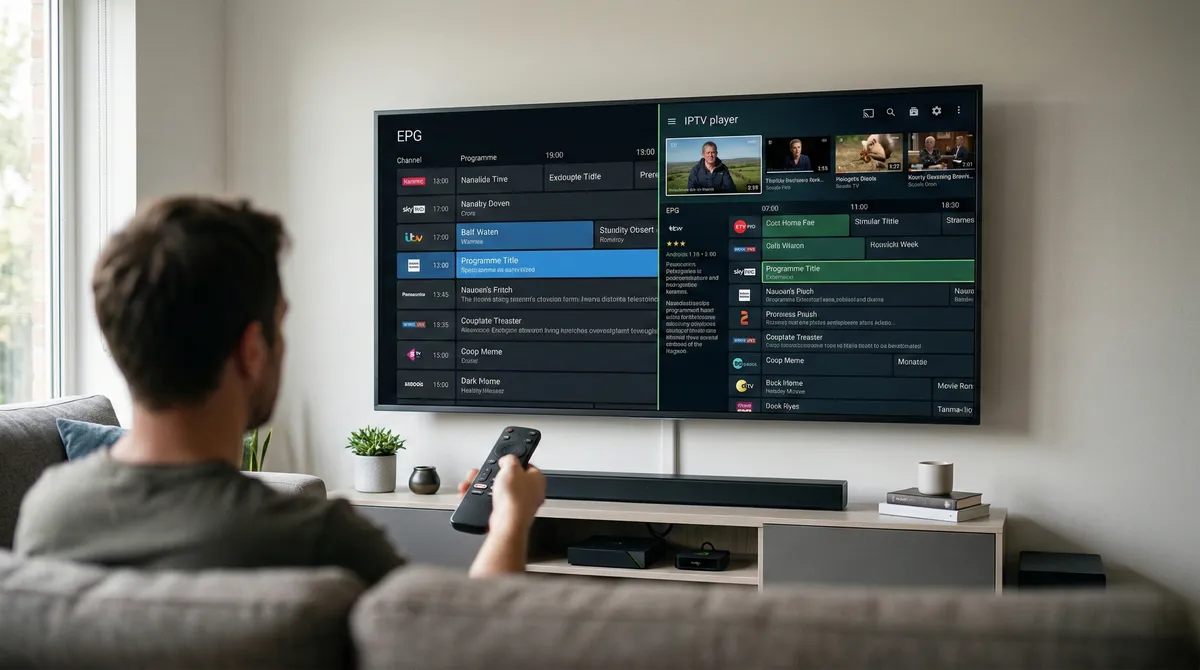
TL;DR: If you want fast setup, QR playlist import, and a clean TV-first interface, IPFlix Pro is the easier starting point. If you are a long time TiviMate user who prefers deep customization and established workflows, TiviMate remains strong. For most new Android TV users, IPFlix Pro will feel simpler and faster.
Why this comparison matters
When people search for the best IPTV player for Android TV, they usually want one thing: an app that works smoothly with their playlist and does not make setup painful. On paper, most IPTV players look similar. They support M3U or Xtream Codes, they claim smooth playback, and they promise a great TV experience.
In reality, the difference shows up in daily use. It shows up when you type a long playlist URL with a remote. It shows up when you switch channels rapidly. It shows up when your EPG loads slowly and you are not sure if the app froze. It shows up when your kids open the app and start pressing buttons.
This comparison focuses on real world use, not just feature lists. Both apps are media players. Neither provides content. Your experience will always depend partly on your IPTV provider and network. What we are evaluating here is how well each app handles that reality.
Quick comparison table
| Category | IPFlix Pro Player | TiviMate | Typical Winner |
|---|---|---|---|
| Playlist formats | M3U, M3U8, Xtream Codes | Common IPTV playlist formats | Tie |
| Setup method | QR code onboarding and manual entry | Manual entry and established workflows | IPFlix Pro for new users |
| Remote navigation | TV-first design built around D-pad | TV-focused with many layout options | Tie |
| Live TV switching | Optimized for fast channel changes | Strong Live TV performance | Tie |
| EPG handling | Focus on fast loading and smooth states | Mature and customizable guide | Tie |
| Profiles and PIN | Multiple profiles with PIN and kids mode | Depends on configuration style | IPFlix Pro for families |
| 4K HDR | Explicit 4K HDR support | Device and stream dependent | Tie |
| Learning curve | Lower for beginners | Comfortable for experienced users | Depends on user |
Setup and onboarding
The most frustrating part of IPTV on a TV is typing. M3U URLs are often long, mixed case, and include tokens. Xtream Codes requires server URL, username, and password. Doing that with a TV remote is slow and error prone.
IPFlix Pro setup
IPFlix Pro reduces friction with QR onboarding. Instead of entering long strings with a remote, you scan a QR code with your phone and import the playlist. This approach reduces typing errors and speeds up first time setup.
Basic steps:
- Install IPFlix Pro on Android TV, Fire TV Stick, or Google TV.
- Choose M3U or Xtream Codes.
- Use QR onboarding or manual entry.
- Confirm channels and EPG load.
- Create user profiles if needed.
The main benefit is simplicity. If you are setting up a device for a family member or client, reducing manual entry saves time.
TiviMate setup
TiviMate has been popular for years and many users are familiar with its setup process. Manual entry is common, and experienced users often have saved credentials or established workflows.
If you are already comfortable with TiviMate, setup may not feel difficult. If you are brand new and only have a long playlist URL, the process may feel more manual compared to QR based onboarding.
Live TV performance
Live TV is where IPTV apps are judged. Fast channel switching, smooth navigation, and stable playback matter more than small UI details.
IPFlix Pro emphasizes responsive channel switching and a TV-first layout. The interface is designed for remote navigation rather than touch interaction adapted for TV. For users who primarily watch live channels and switch frequently, this focus can feel efficient and direct.
TiviMate also has a strong reputation for Live TV. Many users appreciate its layout options and familiarity. If you enjoy customizing how your channel list and guide look, TiviMate offers flexibility.
In practical terms, both apps can feel fast if your provider and network are stable. The difference is more about workflow preference than raw playback speed.
EPG and guide experience
The EPG is critical. Without a functional guide, browsing hundreds of channels becomes frustrating.
IPFlix Pro focuses on smoother loading states and clear feedback while guide data loads. This reduces confusion when large playlists or slower EPG sources take time to populate.
TiviMate is known for its detailed guide options and layout controls. Power users who want to tweak guide appearance may prefer its depth.
Important reminder: EPG reliability depends heavily on your provider. If the EPG source is slow or inconsistent, no player can fully correct that. What a player can do is handle loading states gracefully and remain responsive.
Subtitles and language handling
Subtitle behavior in IPTV depends on the stream. Some channels include embedded subtitle tracks. Others do not. Audio tracks can also vary.
IPFlix Pro aims for consistent subtitle handling across Live TV, Movies, and Series when the stream supports it. The goal is to reduce confusion about where subtitles work.
TiviMate also supports subtitle selection when tracks are available. Differences usually come down to interface and configuration rather than capability.
If subtitles are not appearing, check the stream itself first. Then confirm device codec support and app settings.
Profiles and household use
Many IPTV apps assume a single user. In reality, TVs are shared devices.
IPFlix Pro includes multiple user profiles, PIN protection, and kids mode positioning. This allows separation of favorites, viewing history, and access levels. For families, this is a practical advantage.
TiviMate setups can work well in shared environments, but it often requires more manual organization depending on user behavior.
If you have children or want separate adult and guest profiles, IPFlix Pro offers a more structured approach.
4K HDR playback
Both apps can handle high resolution streams when the device and stream support them. 4K HDR playback depends on:
- The IPTV stream quality
- Device codec support
- TV and HDMI compatibility
- Network stability
IPFlix Pro highlights 4K HDR capability as a core feature. TiviMate users can also view high resolution streams when supported. In practice, playback reliability depends more on provider quality than on the player itself.
Final recommendation
There is no universal winner because different users value different workflows.
Choose IPFlix Pro if:
- You want faster setup with QR onboarding.
- You prefer a clean TV-first interface.
- You need multiple profiles and PIN support for a household.
- You want a straightforward experience without heavy configuration.
Choose TiviMate if:
- You are already comfortable with its interface.
- You enjoy customizing layouts and guide behavior.
- You prefer an established workflow you already know.
If you are new to IPTV on Android TV, IPFlix Pro is the simpler starting point. If you are migrating from long term TiviMate use, test IPFlix Pro for a week and compare your daily experience.
To try IPFlix Pro:
FAQ
1) Is IPFlix Pro legal?
Yes. It is a media player. Legality depends on the playlist and content source you use.
2) Do both apps support M3U and Xtream Codes?
IPFlix Pro supports M3U, M3U8, and Xtream Codes. TiviMate supports common IPTV playlist formats as well.
3) Why is my IPTV buffering?
Buffering usually relates to provider quality, network speed, or device performance. Test your connection and confirm stream stability.
4) Can I use these apps on Fire TV Stick?
Yes. Both are designed to work on Android based TV platforms including Fire TV Stick and Google TV.
5) Which app is better for families?
IPFlix Pro is structured with multiple profiles and PIN support, making it more suitable for shared households.
Written by
IPFlix Team
Development Team
The team behind IPFlix Pro Player — building the fastest, most reliable IPTV player for Android TV, Firestick, and Google TV. With deep expertise in IPTV protocols, ExoPlayer, and Android TV development, we focus on delivering a seamless streaming experience with sub-second channel switching, 4K HDR support, and rock-solid stability.
IPFlix Pro Player is a media player only. It does not provide or host any content. Users must provide their own playlists.
Get IPFlix Pro Player